
Quick answer: Review progress, factual verification, and payment status separately. The standard package is $395 per qualifying property with no subscription.
Before you begin #
Complete required intake sections and identify unresolved facts or review flags.
Steps #
- Open the finalization or readiness screen.
- Review the required sections and verification checklist. Resolve incomplete factual steps where possible.
- Review the checkout summary and the actual price, property, and terms shown before paying.
- After payment, check the project’s payment status and follow any remaining submission or review steps.
See this stage in the current demo #
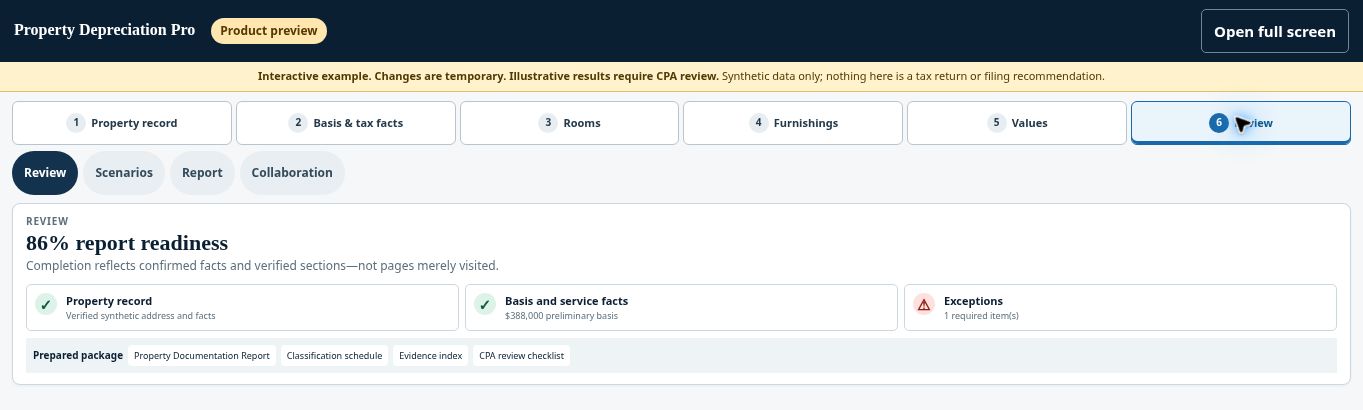
Check before continuing #
A documentation percentage, ready-for-checkout label, and payment confirmation are separate states. A screenshot may show discounts or historical prices that do not apply to your order.
If you get stuck #
If the screen has conflicting payment indicators, check the order record before attempting another payment. Ask for assistance if the status remains unclear.
Related help #
- Download your report and depreciation spreadsheet
- Share a project with your CPA using a secure link
- Correct factual information and review a revised version
Open Property Depreciation Pro and select the relevant property. View the product tour.
This guide explains software use. Your CPA independently reviews classification, tax treatment, elections, and whether deductions are available or usable for your circumstances.


