Rental-property documentation & depreciation
Organize your property. Document your assets. Prepare for professional review.
Document rooms, furnishings, improvements, basis and placed-in-service facts through a guided workflow. See whether your property fits before paying.
$395 per qualifying property. No subscription.
Document the property. Model the depreciation. Give your CPA a cleaner file.
Prepared for tax-professional review. The package does not determine whether a deduction is currently usable on your return.
Try a furnished short-term rental example
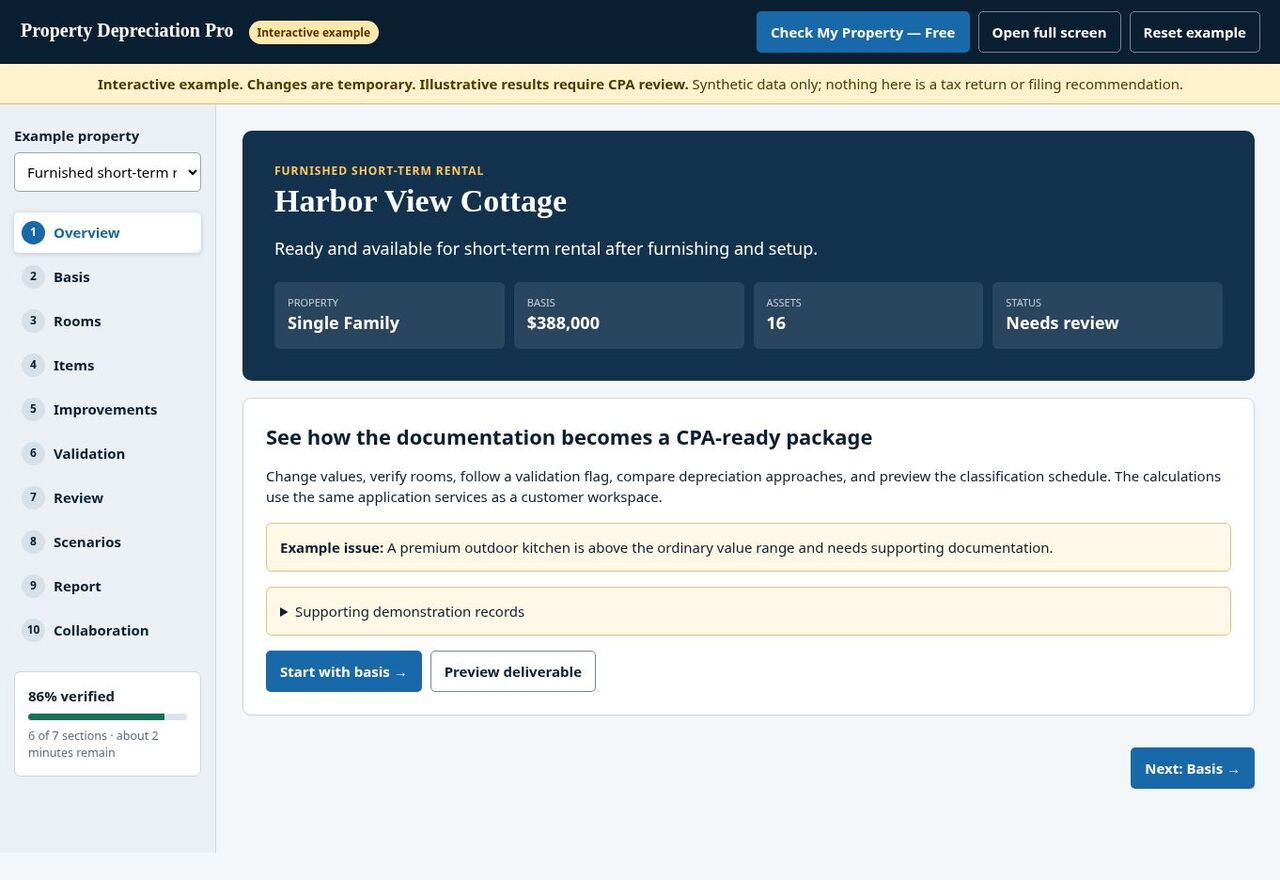
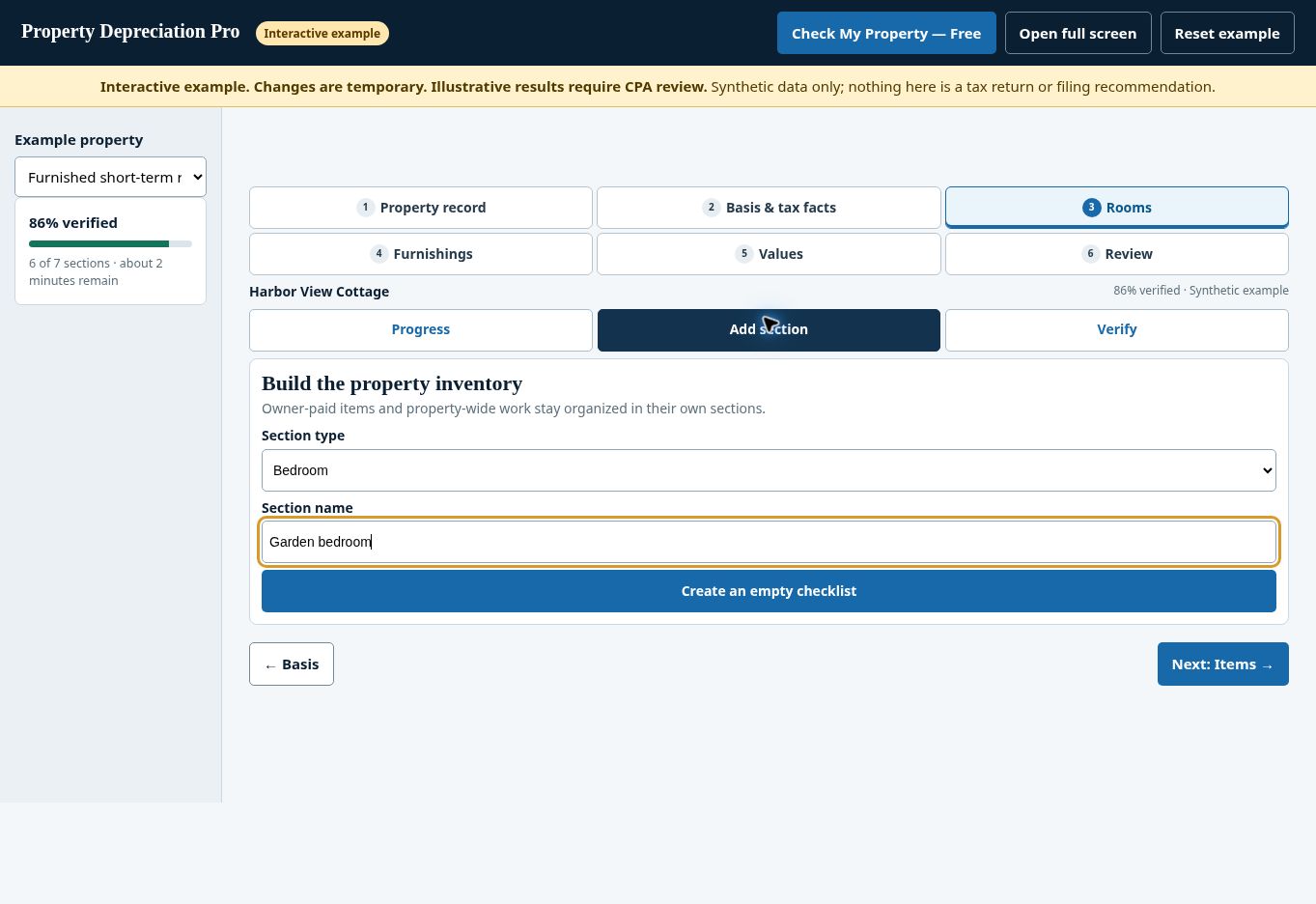
Explore synthetic property information using the app’s native tabs. You provide facts and supporting records; PDP organizes them for professional review.
This sample is not your saved customer property or a filing recommendation. Your tax professional determines final treatment.
Start with your property
Find the right workflow before you buy.
Begin with a free property check. Confirm the address, rental use and property facts, then build the record at your own pace.
Check the property
Identify the residential property, how it is used and circumstances that may need additional review.
Know what to gather
Bring purchase records, service dates and available furnishing or improvement receipts. Identify facts you still need to confirm.
Decide whether to continue
Review the package scope and price before purchase. Complex properties may require a specialist study.
What you receive
A property record with a clear professional handoff.
The standard package organizes the facts you provide into documentation, suggested classifications and preparation materials for your CPA or tax preparer.
Property Documentation Report
Property facts, basis reconciliation, assumptions and review points in an organized report.
Room-by-room inventory
Items, quantities, entered costs, source information and documentation status connected to the property.
Classification schedule
An itemized asset schedule and spreadsheet export for professional evaluation.
Depreciation planning
Compare depreciation timing assumptions while keeping modeled deductions separate from taxpayer-specific tax results.
Supporting-record index
Organize available receipts, photographs and other records with related assets. Missing support remains visible.
CPA handoff workspace
Review the purchased property and use project-sharing controls to involve your tax preparer.
Explore the workflow, then start your own property.
The sample uses fictional information. Demo edits are temporary and do not create or update your account. For step-by-step instructions and screenshots, visit Product Help.
Open the full interactive Product Tour →For owners and their tax professionals
Keep the facts and tax decisions connected.
What you receive
- A saved property record you can return to as you gather documents.
- Progress and review prompts showing what needs attention.
- Separate records for initial purchases and later improvements.
- Available package downloads for your records.
What your CPA receives
- Basis, dates, allocations and an itemized asset schedule.
- Visible estimates, missing evidence and open questions.
- Suggested classifications and calculation assumptions to evaluate.
- A property file supporting their tax-review workflow.
How it works
From property facts to a more organized CPA file.
Confirm the property
Enter the address and rental use. Review available property data and correct anything that does not match your records.
Record basis and dates
Keep purchase costs, land allocation and placed-in-service facts separate. Identify temporary assumptions.
Build the inventory
Name rooms, select actual furnishings and add appliances or property-wide improvements.
Review the information
Check values and sources. Follow prompts to missing or unusual entries.
Purchase and complete
Review the price and scope, purchase the package and finish required documentation and review steps.
Prepare the CPA handoff
Download available report files and share the purchased project for your tax professional’s evaluation.
Property fit
Designed around residential rentals.
Furnished and unfurnished rentals need different records. Start with the use and property type so the documentation follows the property you actually own.
Mixed-use properties, unusual construction, complex acquisition or prior depreciation facts, and unsupported allocations may need specialist review. A property check does not determine tax treatment.
Why documentation matters
Dates and records matter as much as the item list.
A purchase date can differ from the date an asset is ready and available for its intended rental use. A replacement acquired later has its own facts.
PDP helps keep those records organized so your CPA can evaluate the property, individual assets and changes over time.
Explore furnishing and replacement records →Keep these facts connected
- What was purchased or improved?
- When was it acquired and placed in service?
- Which cost records support the amount?
- Is the value an actual cost or an estimate?
- Was an older item replaced or retired?
Tax basis, current estimated value and replacement cost serve different purposes.
Choose the right service
Understand what each level of help provides.
Compare deliverables and professional scope before choosing a service. Calculator features and provider engagements vary.
On smaller screens, scroll the table horizontally.
| Service | Main purpose | What to confirm |
|---|---|---|
| Free calculator | Illustrate calculations using a limited set of assumptions. | Input limits, sources and whether an organized property file is included. |
| PDP — $395 standard package | Guided property documentation, inventory, classifications and preparation materials for CPA review. | Property fit, supporting records, review points and package scope. |
| Engineering-based cost-segregation study | Property analysis using an engineering methodology under the provider’s engagement. | Inspection, measurements, allocation methods, professional qualifications and price. |
| Tax preparation or advisory | Apply property and taxpayer facts to advice and return preparation within an agreed engagement. | Filing responsibilities, elections, loss limitations and representation scope. |
Methodology and review
See the assumptions. Resolve the questions.
Automated checks identify missing or unusual information. Flagged reports receive human review; unflagged reports can proceed through automated approval.
This process is separate from your CPA’s review. Your tax professional evaluates the documentation, classifications, assumptions and treatment on the return.
Your CPA makes the tax decisions
The package does not determine whether a loss offsets other income, whether an election is appropriate or whether a deduction is currently usable.
Keep your property record
The service provides seven-year record retention. Use the correction process for factual errors and preserve the report version shared with your professional.
Preview before purchase
Open a sample CPA package.
See the report layout, asset schedule and review questions before you begin your own property.
An anonymized example based on actual product output. It contains estimated values and no uploaded supporting evidence, and is marked for professional review. It demonstrates the package structure; it does not establish a filing position or independently validated tax result.
Before you begin
Common questions.
Can I start without paying?
Yes. Begin with a free property check and guided property record. Review the paid package scope before deciding whether to purchase.
What does the standard package cost?
$395 per qualifying property, with no subscription. Review checkout for separately selected services or applicable portfolio discounts.
Is this an engineering-based cost-segregation study?
The standard PDP package is a guided property-documentation and calculation workflow for CPA review. It does not include an engineering-based study. Complex facts or allocations may require a specialist engagement.
Do I need every receipt or photograph to begin?
No. Start with the facts you know and identify missing support. Photographs are optional. Required support for a particular amount or allocation still needs to be resolved before your tax professional relies on it.
What happens if something is flagged?
Review the specific fact, value or supporting record. Correct factual errors or provide support for review. A flag requests attention; it does not automatically determine tax treatment.
Does the report guarantee tax savings?
No. Your tax professional reviews your property and taxpayer facts, determines filing treatment and evaluates whether deductions are currently usable.
Can I work with my own CPA?
Yes. Use the purchased project’s sharing controls for project-specific professional access. Portfolio teammate access is a separate permission.
Your next rental-property decision
Considering another property or a refinance?
STR Advisory helps rental investors evaluate property economics and financing for purchases, refinancing and cash-out needs.
Financing is optional. Following this link does not automatically transfer your PDP property record or tax documents.
Start with the property you know best
Document the property. Prepare a cleaner CPA handoff.
Check property fit for free, then decide whether the $395 package is right for your rental.
Property Depreciation Pro prepares documentation and suggested classifications for tax-professional review. Your CPA or tax preparer determines final tax treatment and filing.