
Quick answer: Final verification is your opportunity to check the property facts and remaining requirements before submission and report review.
Before you begin #
Have the project inventory, source records, and unresolved-question list available.
Steps #
- Open the final verification checklist.
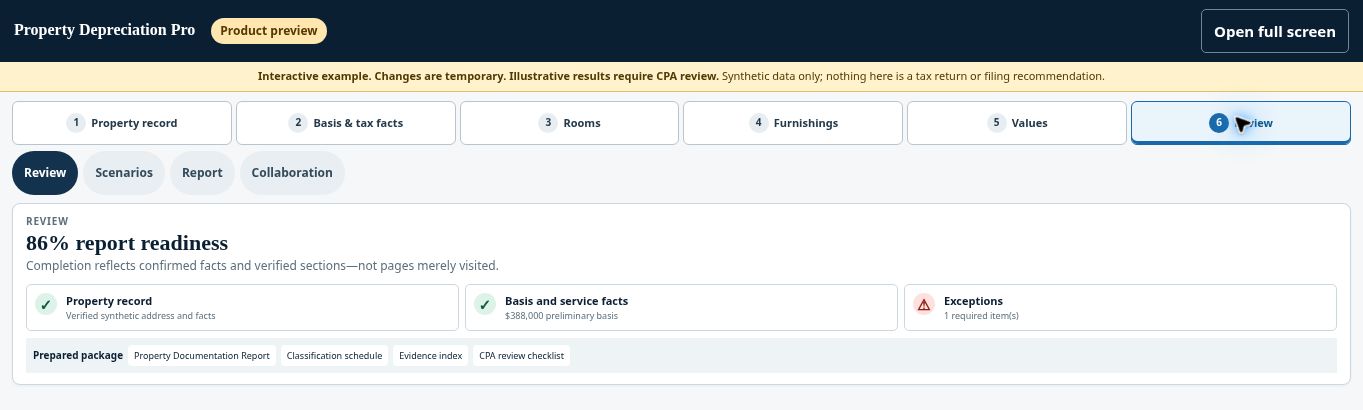
- Review the factual items one by one instead of relying only on the overall percentage.
- Return to any section needing a correction and save the change.
- Check payment, submission, and review status separately, then follow the next action shown by the application.
See this stage in the current demo #
Check before continuing #
Some projects require human review because they are flagged. Unflagged reports may follow an automated approval path; do not describe every report as individually reviewed by a person.
If you get stuck #
If the next step is blocked, identify the specific incomplete requirement or flag and address it before resubmitting.
Related help #
- Resolve flags and finish section verification
- Review bonus-depreciation and CPA assumptions
- Compare standard and accelerated depreciation scenarios
Open Property Depreciation Pro and select the relevant property. View the product tour.
This guide explains software use. Your CPA independently reviews classification, tax treatment, elections, and whether deductions are available or usable for your circumstances.


