New customers can follow the application’s account-creation option. Existing customers can sign in and continue a saved property.
Your starting point
Bring the property address and the facts you know.
1
Identify the property
Enter the address and confirm rental use, property type and available property-data prefill.
2
Review the core facts
Record purchase and service-date information. Identify missing records and special circumstances.
3
Decide whether to continue
Explore the guided record and review the $395 standard package before purchasing.
Designed for residential rental records.
Short-term and vacation rentals.
Mid-term furnished rentals.
Long-term rentals.
Single-family homes, townhomes and condominiums.
Residential properties with up to four units.
Property fit depends on the facts. Mixed use, complex acquisitions, unusual allocations and prior depreciation issues may need a specialist.
Useful records to have nearby
Property address and rental-use information.
Closing statement or purchase records.
Acquisition and placed-in-service facts.
Land-allocation support.
Furnishing, appliance and improvement records.
You can begin before every record is available. Keep missing facts and estimates clearly identified.
Free starting workflow
Learn what the property record needs.
Use the application to begin the property check and guided intake. Review available data, section progress and information needing attention.
A property-fit result or modeled calculation does not establish tax eligibility or determine whether a deduction is usable.
Standard package
$395 per qualifying property
No subscription. The paid package organizes your property documentation, inventory, suggested classifications and available handoff files for CPA review.
No. Opening the application and starting the free workflow does not purchase the report package. Review the selected property’s checkout before paying.
Do I need to create an account?
Follow the application’s registration or sign-in prompts to save and manage your property record.
Can I begin if I have not purchased the property yet?
The application includes a not-purchased-yet use option. Keep planning assumptions separate from completed purchase facts and confirm the appropriate workflow before buying a report.
What if I already have a saved property?
Sign in and open the existing property from your portfolio rather than starting a duplicate record.
Will the result tell me what I can deduct?
No. Your CPA or tax preparer determines final treatment and deduction usability using your property and taxpayer facts.
Try the sample. Start your property separately. The interactive Product Tour uses fictional information and temporary edits. It does not save selections into your customer account. Visit Product Help for instructions, required records and common errors.
Start with one property.
Confirm the facts, build the record and decide whether the package fits.
Property Depreciation Pro prepares documentation and suggested classifications for professional review. The standard package does not include an engineering-based study or tax-return preparation.
Preview the work before starting your property
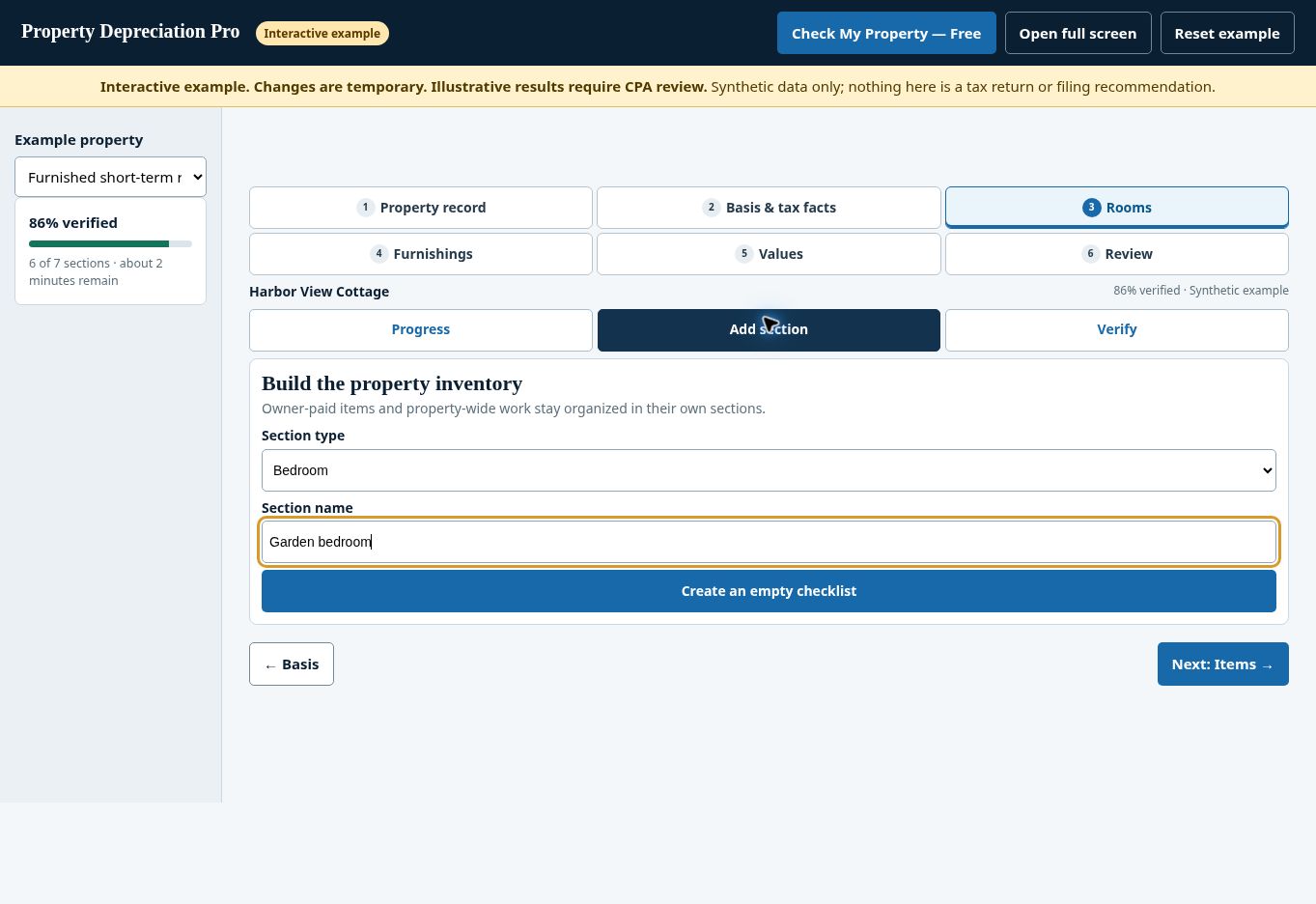
A named room gives each item a location and makes an unfinished section easier to find.
The actual demo offers rooms and property-wide sections; creating a section does not determine tax classification. Actual deployed synthetic demo, captured October 7, 2026.
Rule reference:IRS Publication 527 — rental property, recovery periods, and repairs versus improvements. IRS guidance concerns tax rules, not PDP price estimates. Use the authority applicable to your facts and tax year.